Headless WordPress & Decoupled Architectures — Next.js + WPGraphQL (Enterprise Guide)
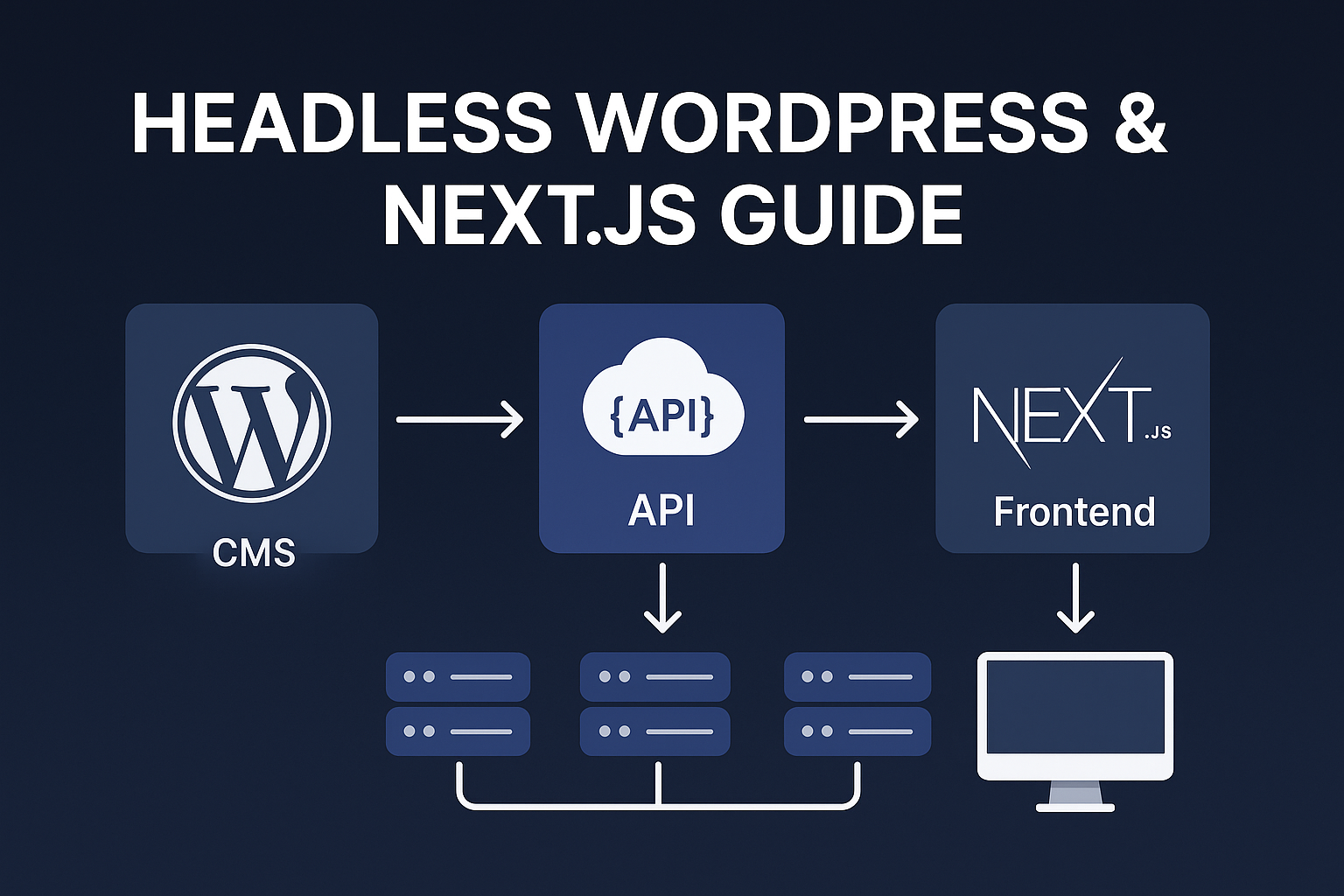
Headless WordPress with Next.js and WPGraphQL gives editorial teams the CMS they know and developers the modern front-end stack they love. This guide delivers a complete, production-ready blueprint: detailed WPGraphQL schema strategies, Next.js (both Pages Router and App Router) patterns, preview security, ISR & revalidation workflows, caching at the edge, accessibility and SEO considerations, CI/CD, observability, common errors and precise fixes, plus 20 FAQs.
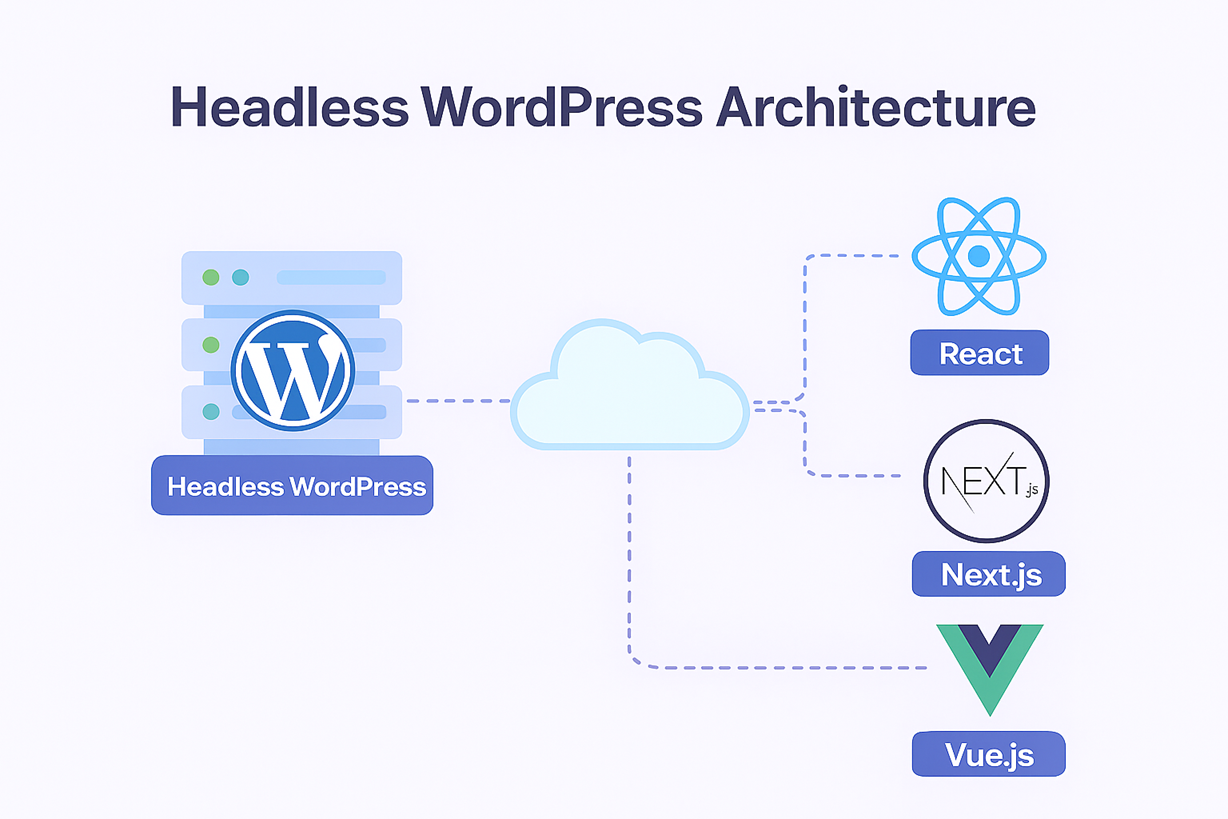
Implementations covered here are suitable for small marketing sites up to large, multi-site enterprise deployments. Use this guide to design, implement, and operate a resilient headless WordPress platform.
Where to use headless WordPress
Headless works exceptionally well when you need fast, component-driven front-ends, multi-channel delivery (web, mobile, voice), or modern frameworks like Next.js. It’s especially useful for editorial-heavy sites that need precise rendering for SEO and social sharing while maintaining editorial workflows in WordPress.
Architectural patterns: trade-offs and selection
Decide the rendering model based on SEO needs, update frequency, and required interactivity. Below are trade-offs and when to choose each:
Client-side SPA
Good for authenticated dashboards or apps where SEO is not required. Fast developer feedback loop but poor initial SEO unless supplemented by server-side rendering for critical routes.
Static Site Generation (SSG)
Best for campaign and marketing pages with predictable updates. SSG yields near-perfect SEO and performance, but full rebuilds become costly as page count rises.
Incremental Static Regeneration (ISR)
Strong balance: pre-render pages and revalidate incrementally. Good for news and frequent updates. Combine ISR with webhooks for on-demand revalidation.
Server-Side Rendering (SSR)
Use SSR for highly dynamic content that must be fresh per request. More expensive but necessary for some real-time use cases.
Hybrid approach
Combine methods: SSG for landing pages, ISR for articles, SSR for user-specific content. This hybrid model is the most practical for large sites.
WPGraphQL fundamentals
WPGraphQL is the typed contract that exposes WordPress content to your front end. Understand the schema and how to extend it to reduce overfetching and improve performance.

Inspecting the schema
Use the GraphiQL explorer or an introspection query. List available types and fields, and note which third-party plugins expose fields to GraphQL. This informs component-level queries so you fetch only required fields.
Exposing custom post types & fields
For reliable headless behavior, register custom post types with `show_in_graphql` and prefer field-level registration so GraphQL returns only the needed data.
/* Register a custom post type exposed to GraphQL */
function register_showcase_cpt() {
  register_post_type('showcase', array(
    'label' => 'Showcases',
    'public' => true,
    'show_in_graphql' => true,
    'graphql_single_name' => 'Showcase',
    'graphql_plural_name' => 'Showcases',
  ));
}
add_action('init', 'register_showcase_cpt');
Using ACF (Advanced Custom Fields)
Install WPGraphQL and WPGraphQL for ACF. Expose each ACF field intentionally. Avoid exposing large JSON blobs that cause large payloads and slower parsing.
Resolvers and performance
Avoid N+1 resolver patterns. If a resolvers fetches related entities per node, implement batching or create combined queries at the schema layer. Use object caching (Redis) or DB-level optimizations where necessary.
Next.js integration — Pages Router (production-ready)
Pages Router is stable and familiar. This section covers a complete flow: GraphQL client, SSG/ISR setup, secure preview, webhooks, and revalidation.
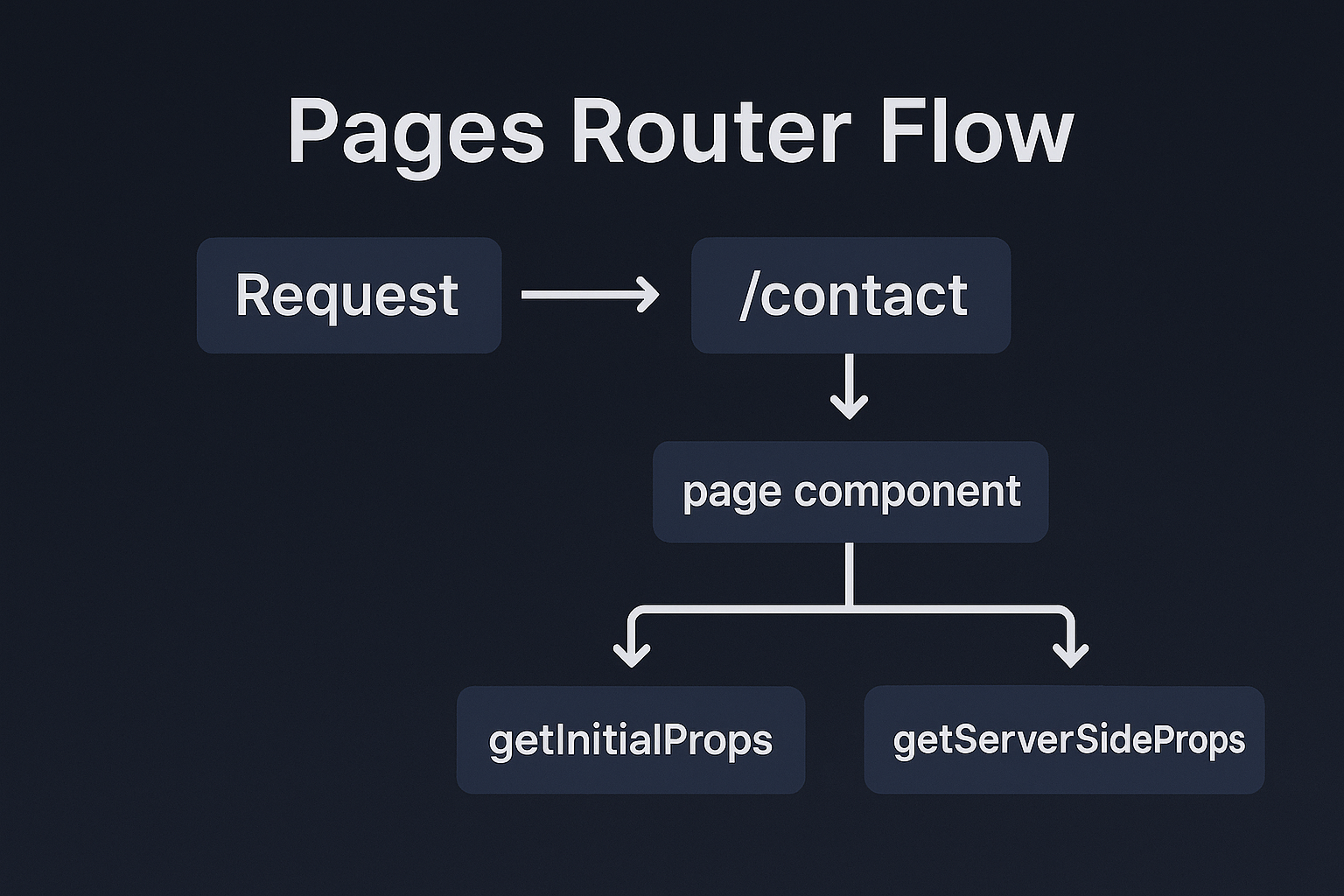
GraphQL helper
// frontend/lib/graphql.js
import fetch from 'cross-fetch';
const WPGRAPHQL_URL = process.env.WPGRAPHQL_URL;

export async function gqlRequest(query, variables = {}) {
  const res = await fetch(WPGRAPHQL_URL, {
    method: 'POST',
    headers: { 'Content-Type': 'application/json' },
    body: JSON.stringify({ query, variables }),
  });

  const json = await res.json();
  if (json.errors) throw new Error(JSON.stringify(json.errors));
  return json.data;
}
Index page — SSG + ISR
// pages/index.js
import Link from 'next/link';
import { gqlRequest } from '../lib/graphql';

const HOME_QUERY = `
  query GetPosts {
    posts(first: 10) {
      nodes { id slug title excerpt }
    }
  }
`;

export async function getStaticProps() {
  const data = await gqlRequest(HOME_QUERY);
  return { props: { posts: data.posts.nodes }, revalidate: 60 };
}

export default function Home({ posts }) {
  return (

      {posts.map(p => (

          {p.title}


      ))}

  );
}
Post page — getStaticPaths + getStaticProps
// pages/posts/[slug].js
import { gqlRequest } from '../../lib/graphql';
const ALL_SLUGS = `query AllSlugs { posts(first: 100) { nodes { slug } } }`;
const POST_QUERY = `query Post($slug: ID!) { post(id: $slug, idType: SLUG) { title content date seo { fullHead } } }`;

export async function getStaticPaths() {
  const data = await gqlRequest(ALL_SLUGS);
  const paths = data.posts.nodes.map(p => ({ params: { slug: p.slug } }));
  return { paths, fallback: 'blocking' };
}

export async function getStaticProps({ params }) {
  const data = await gqlRequest(POST_QUERY, { slug: params.slug });
  if (!data.post) return { notFound: true, revalidate: 10 };
  return { props: { post: data.post }, revalidate: 60 };
}

export default function PostPage({ post }) {
  return (

      {post.title}


  );
}
Next.js App Router — server components, streaming, and cache
App Router brings React Server Components and integrated caching. Use it for edge-first rendering and fine-grained data fetching strategies.
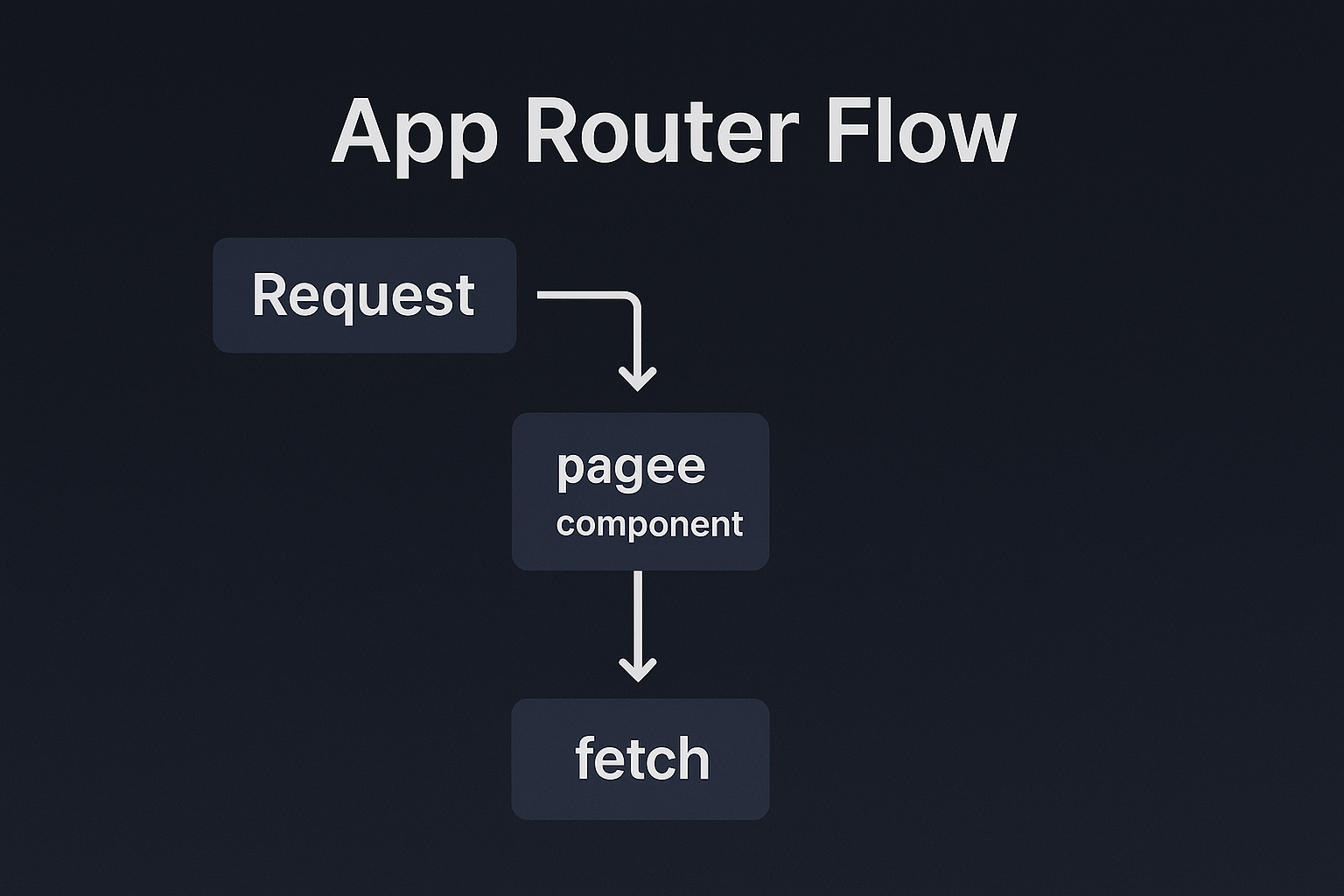
Server component example (App Router)
// app/posts/[slug]/page.js
import { gqlRequest } from '../../../lib/graphql';

export default async function Post({ params }) {
  const query = `query Post($slug: ID!) { post(id: $slug, idType: SLUG) { title content date } }`;
  const data = await gqlRequest(query, { slug: params.slug });
  if (!data.post) return notFound();

  return (
    <>
      {data.post.title}


  );
}
Using `fetch` with revalidation options
In server components you can use `fetch` with `next: { revalidate: 60 }` for built-in caching integration on Vercel and other providers that support Next.js caching metadata.
Preview mode — secure pattern (both routers)
Implement preview tokens generated by WordPress for authenticated editors. Tokens must be HMAC-signed and short-lived.
// pages/api/preview.js (Pages Router)
export default async function handler(req, res) {
  const { secret, slug } = req.query;
  if (secret !== process.env.PREVIEW_SECRET || !slug) return res.status(401).end();
  res.setPreviewData({});
  res.writeHead(307, { Location: `/posts/${slug}` });
  res.end();
}
Webhooks and On-Demand Revalidation
WordPress should send a signed webhook to your front end on publish/update. The front end validates the signature and calls platform-specific on-demand revalidation or `res.revalidate(path)`.
// pages/api/revalidate.js
export default async function handler(req, res) {
  if (req.headers['x-revalidate-token'] !== process.env.REVALIDATE_TOKEN) return res.status(401).end();
  const { path } = req.body;
  try {
    await res.revalidate(path);
    return res.json({ revalidated: true });
  } catch (err) {
    return res.status(500).json({ message: 'Revalidation failed' });
  }
}
Common errors, root causes, and exact fixes (expanded)
Error: GraphQL endpoint unreachable or returning 500
Cause: Plugin conflict, PHP fatal error, or webserver misconfiguration. Fix: Check WordPress error logs, disable recently added plugins, and ensure PHP memory limits are sufficient. Test `/graphql` in GraphiQL and run a simple cURL check from your front-end host.
Error: 404 on preview but content exists
Cause: Preview cookies not set or front-end route mismatch. Fix: Verify `res.setPreviewData({})` is executed and ensure preview redirects to the correct slug. Confirm WordPress preview slug mapping and origin domains match the preview cookie domain.
Error: Slow GraphQL queries (high latency)
Cause: N+1 queries or heavy resolver logic. Fix: Rewrite resolvers to batch DB calls, add object caching (Redis), and use WPGraphQL extensions that support persisted queries and caching.
Error: Social cards not showing correct OG image
Cause: Meta tags rendered client-side or missing at server render. Fix: Ensure Open Graph meta tags are present in the server-rendered HTML; use `next/head` or server component meta injection to include OG tags.
Error: ISR revalidation fails intermittently
Cause: Invalid webhook signature or revalidation token mismatch. Fix: Log webhook payloads for failures, confirm headers include the correct signature, and rotate tokens as needed while updating both sender and receiver.
Error: Excessive build times on CI
Cause: Full-site SSG on every commit. Fix: Move to ISR, use incremental builds if the platform supports them, and avoid full builds for content-only updates by using on-demand revalidation.
Error: Images blow up LCP (Largest Contentful Paint)
Cause: Unoptimized images or missing width/height attributes. Fix: Use Next.js Image component or an image CDN. Provide `width` and `height`, supply multiple sizes, and use modern formats (AVIF/WebP) where supported.
Error: Unauthorized GraphQL mutations exposed
Cause: Public access to mutation endpoints. Fix: Restrict mutations, require authentication for write operations, and expose read-only public schemas for the front end.
Security hardening checklist (detailed)
- HTTPS everywhere (strict transport security)
- Use WAF rules to protect `/graphql` and admin endpoints
- Rate-limit GraphQL queries and block abusive IPs
- Restrict GraphQL mutations to authenticated sessions
- Use HMAC-signed webhooks with timestamp and nonce
- Store preview and revalidation secrets in a managed secret store
- Enable MFA for WordPress admin accounts
- Audit and remove unused plugins
Observability and SLOs
Define service-level objectives for GraphQL latency, revalidation success rate, and build durations. Integrate logs and traces to pinpoint slow resolvers. Alerting thresholds to consider:
- GraphQL 95th percentile latency < 250ms
- Revalidation success > 99.5%
- ISR fail rate < 0.5%
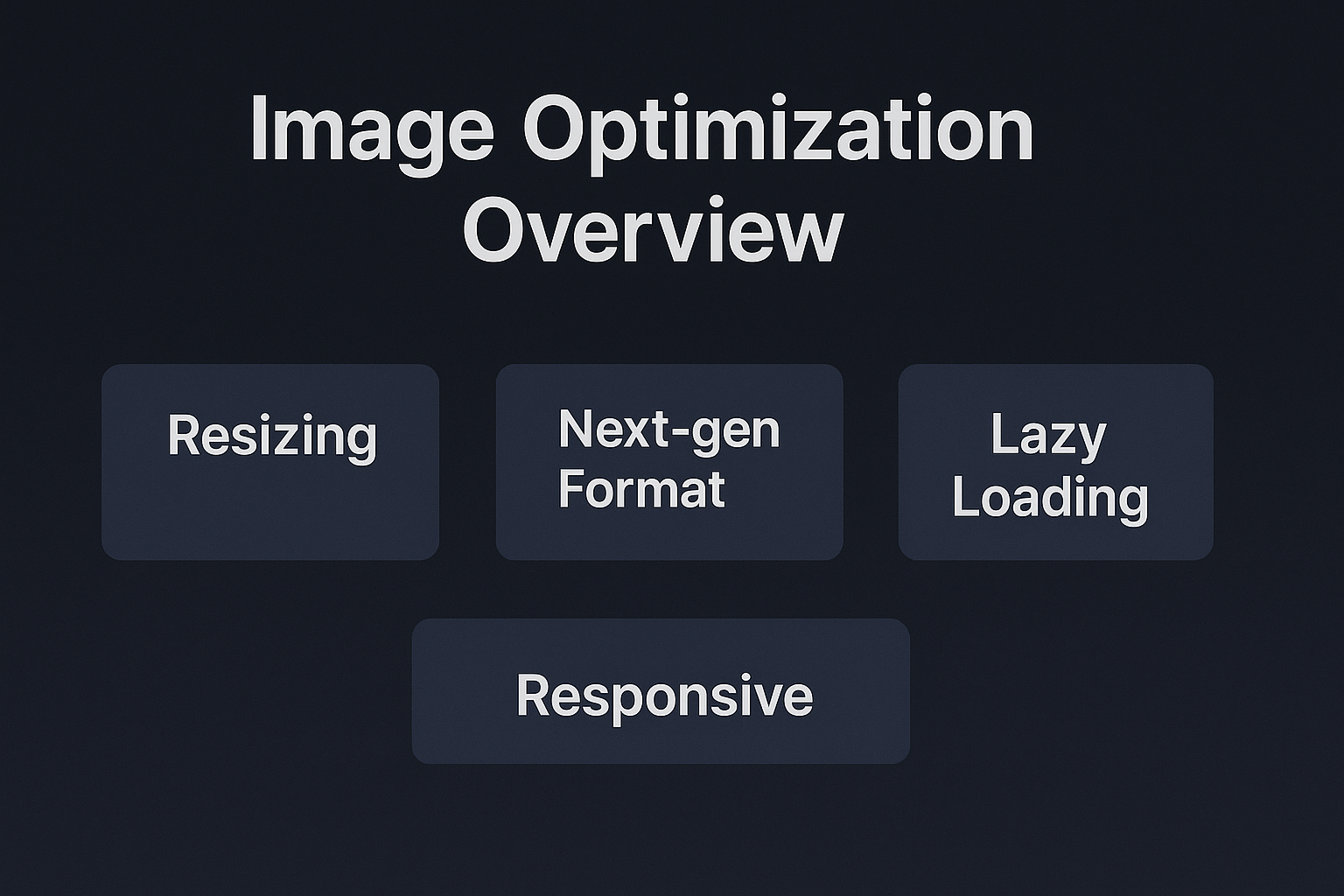
Image delivery & optimization strategy
Serving images correctly is critical for performance. Use these patterns:
- Serve responsive images (`srcset`) and specify dimensions
- Use an image CDN or proxy to generate sizes on demand
- Use modern formats (AVIF/WebP) and lazy-load offscreen images
- Prefer precomputed thumbnails in WordPress to avoid runtime resizing costs
CI/CD: recommended pipeline
Use a pipeline that separates code CI from content deployments:
- Push → run lint, unit tests, and GraphQL schema checks
- Run integration tests against a staging WordPress instance
- Deploy to staging; run smoke tests and Lighthouse audits
- After editorial sign-off, blue/green or canary deploy to production
- On WordPress content publish, trigger webhook to on-demand revalidation or minimal rebuild
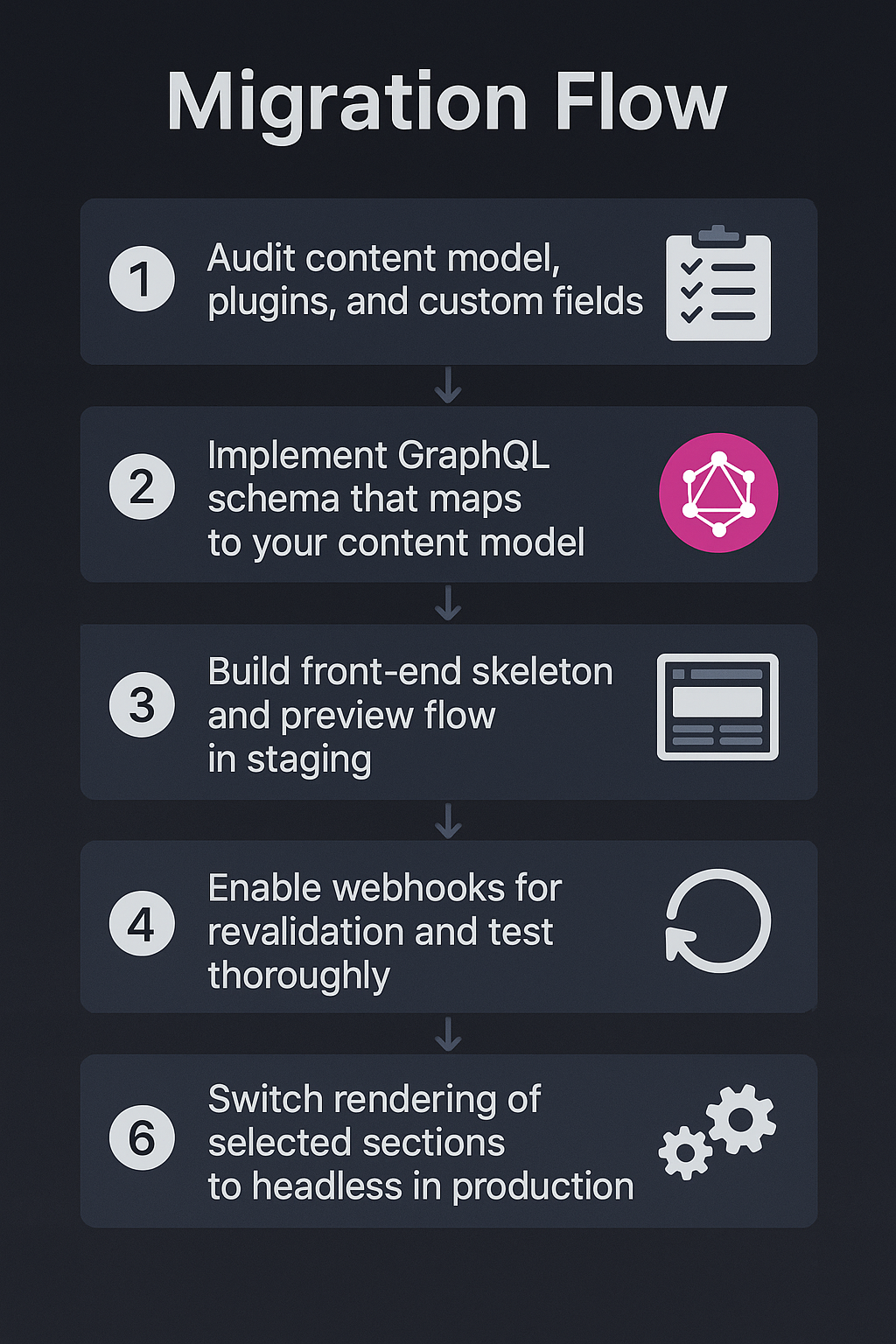
Migrations & rollout checklist
Migrate in phases:
- Audit content model, plugins, and custom fields
- Implement GraphQL schema that maps to your content model
- Build front-end skeleton and preview flow in staging
- Enable webhooks for revalidation and test thoroughly
- Switch rendering of selected sections to headless in production
- Gradually expand to full site decoupling once stable
ACF, Gutenberg, and Meta fields strategy
Plan how you expose complex content from the editor to the front end:
- Prefer ACF fields exposed individually in GraphQL rather than a single monolithic JSON.
- For Gutenberg, standardize block schemas and create serializers that convert block content to HTML or structured JSON consumed by React components.
- Version your content model and coordinate schema updates with front-end releases.
Edge caching & CDN strategies
Use an edge CDN (Cloudflare, Fastly, CloudFront) with:
- Long TTLs for assets
- Short TTLs for dynamic HTML combined with ISR
- Stale-while-revalidate for quick responses while updating content in the background
Production checklist before cutover
- All critical pages server-rendered with SEO meta and JSON-LD
- Preview workflow tested end-to-end
- Revalidation webhooks validated and logged
- Secrets moved to managed store and rotated
- Observability and alerting configured
- Security hardening applied to admin and GraphQL endpoints
Case studies & real-world patterns
Patterns observed in production:
- Newsrooms use ISR with short revalidate windows and content webhooks for breaking updates.
- Documentation sites rely on SSG with nightly builds and on-demand revalidation for edits.
- Large enterprises use federated GraphQL schemas for multi-site setups and a central front end consuming a unified API layer.
Advanced troubleshooting recipes
When debugging complex interactions, follow this sequence:
- Reproduce locally with a staging WordPress instance
- Enable verbose GraphQL logging on WordPress
- Isolate whether the issue is in schema, GraphQL client, next build, or CDN cache
- Use end-to-end tests and compare server-rendered HTML vs expected output
- Inspect revalidation logs for webhook and response codes
20 Frequently Asked Questions (Comprehensive)
1. Do I lose SEO when moving to headless?
Not if you server-render or pre-render SEO-critical pages. Ensure meta tags, canonical URLs, and JSON-LD are present in server-rendered HTML for crawlers and social previews.
2. REST vs GraphQL — which is better?
Use REST for simple, less nested needs. GraphQL (WPGraphQL) becomes essential when your front end requires nested, component-driven data and you want to avoid overfetching. For large apps, GraphQL usually yields better developer productivity and fewer network calls.
3. How to securely implement preview mode?
Generate time-limited, HMAC-signed tokens from WordPress for authenticated users. Validate tokens server-side and use `res.setPreviewData` (Pages Router) or cookies/headers (App Router) to enable preview rendering.
4. How to manage heavy GraphQL payloads?
Break queries into smaller field-specific requests, use persisted queries, and cache expensive parts. Avoid returning large HTML blobs; return structured data and render on the front end.
5. How to handle forms/comments in headless?
Use serverless proxies that validate and forward submissions to WordPress or third-party services. Protect against CSRF and rate-limit to prevent abuse.
6. How often should I revalidate pages?
Balance freshness with cost. Use short intervals for breaking news and longer intervals for evergreen pages. Use on-demand revalidation for editorial pushes.
7. Can headless handle multi-site WordPress?
Yes — either consolidate via a federated GraphQL layer or expose per-site GraphQL endpoints and aggregate on the front end. Be mindful of routing and content scoping complexities.
8. What caching headers to use for GraphQL?
Use `Cache-Control` with `s-maxage` for CDNs and `stale-while-revalidate` to serve stale content while revalidation runs. Short TTLs for dynamic content and long TTLs for static assets.
9. How to monitor revalidation and ISR failures?
Log revalidation requests and responses, surface metrics in dashboards, and set alerts for repeated failures. Include the post ID/path in logs for faster diagnosis.
10. What about image handling?
Use an image CDN or Next.js `Image` component. Provide multiple sizes, include dimensions, and use modern formats. Pre-generate thumbnails where possible.
11. Should I expose GraphQL mutations publicly?
No. Keep mutations behind authenticated endpoints or admin-only access. Public endpoints should be read-only.
12. How to handle plugin output that expects server-side rendering?
Replace server-side-only plugins with API-friendly alternatives or create server-side proxies that produce consumable data for the front end.
13. How to debug GraphQL slow queries?
Use WordPress query profiler, enable debug logging for WPGraphQL, and inspect resolver-level timings. Cache common query results.
14. Can I use Next.js middleware with headless WordPress?
Yes. Middleware can handle redirects, A/B tests, internationalization, or early auth checks, but avoid heavy data processing in middleware to preserve latency budgets.
15. How to support localization/multi-language sites?
Expose localized fields in GraphQL per post and use language-aware routing in Next.js. Consider separating content by locale or using a locale code in the URL structure.
16. Should I store content snapshots for reproducibility?
For high-compliance workloads, store content snapshots and timestamped JSON exports to reconstruct the exact state of a page at publish time.
17. How to scale WPGraphQL for high traffic?
Add a caching layer (Redis), use query caching/persisted queries, scale PHP workers, and offload static assets to a CDN. Rate-limit abusive clients.
18. What's the best CDN strategy?
Use an edge CDN with regional POPs, configure proper Cache-Control headers, and use origin shielding or shielding/cache prewarming for large launches.
19. How to keep editorial experience smooth?
Maintain WordPress as the editorial UI, enable quick preview links for drafts, and validate preview flows frequently. Provide editors training on headless constraints (e.g., image sizes, block structures).
20. When not to go headless?
Avoid headless if your site is small, rarely updated, or your team lacks engineering resources. Traditional WP themes are simpler to operate for small teams.